
Best A2X Alternatives for Ecommerce Sellers in 2026

For multi-channel sellers who need accurate daily P&L, a transaction-level, daily-accrual connector is the stronger alternative to A2X. For sellers who primarily run a single Amazon store and want simple bank reconciliation, a summarized-payout connector at a lower price point does the job. And for Amazon sellers whose biggest pain point is recovering lost or damaged FBA inventory while keeping their books clean, Beanhawk combines reimbursement recovery with automated settlement posting in one place.
TL;DR shortlist:
- Best for FBA reimbursement recovery + automated posting: Beanhawk (continuous ledger monitoring, QuickBooks and Xero integration, COGS management)
- Best for multi-channel transaction-level posting: Webgility (per-order posting, QuickBooks Desktop and Online, Shopify, Amazon, Walmart)
- Best for WooCommerce + Xero/QuickBooks sync: MyWorks Sync (native WooCommerce plugin, real-time order sync)
- Best for lightweight, low-cost summarized posting: Link My Books or Bookkeep (simple payout summaries, low monthly cost)
- Best for custom workflow automation: Zapier (connects apps but requires manual accounting logic)
- Best for receipt and document capture: Dext (expense and receipt management, not a settlement connector)
- Best for multi-channel with COGS depth: Synder (transaction-level sync, multi-currency, Xero and QuickBooks)
Table of Contents
- Why do sellers look for an alternative to A2X?
- What are the leading A2X alternatives and what does each one deliver?
- How do you pick the right A2X alternative for your store?
- How do the alternatives differ technically across the seven core capabilities?
- Which alternative should you choose for your seller type?
- Key Takeaways
- The posting-method decision is more consequential than most sellers realize
- Beanhawk: built for FBA sellers who need recovery and clean books at the same time
- Useful sources and links to read next
Why do sellers look for an alternative to A2X?
A2X works for a lot of sellers, especially early-stage Amazon or Shopify merchants who just need clean payout summaries hitting their QuickBooks or Xero ledger. But it has real limits that become painful as a business grows.
The most common reasons sellers start shopping for A2X alternatives:
- Summary-only posting. A2X posts one summarized journal entry per settlement period, not per order or per day. That means your P&L is only as current as your last payout, which can be two weeks stale. For sellers who need daily margin visibility, that gap matters.
- No transaction-level COGS. Because A2X posts at the payout level, it cannot automatically calculate unit-level cost of goods sold. Sellers end up entering COGS manually or relying on a separate inventory system with no native bridge.
- Limited channel coverage. A2X covers Amazon, Shopify, eBay, Etsy, and a handful of others, but WooCommerce support is thin. Sellers who run WooCommerce as their primary storefront often find A2X a poor fit.
- Pricing scales with order volume. A2X charges by the number of orders processed. At moderate volume, the monthly cost climbs faster than the value delivered, especially when the posting method stays summarized regardless of price tier.
- No reimbursement recovery. A2X does not monitor FBA ledger events for lost, damaged, or under-reimbursed inventory. Sellers who want that recovered need a separate tool, which adds cost and complexity.
- Weak multi-currency handling. Sellers operating across the US, UK, Canada, and EU marketplaces report that A2X’s foreign-exchange treatment requires manual cleanup in the ledger.
Adding a new marketplace without updating your accounting stack is one of the fastest ways to accumulate reconciliation debt. The moment your channel count outpaces your connector’s coverage, you are doing manual work every month to close the books.
What are the leading A2X alternatives and what does each one deliver?
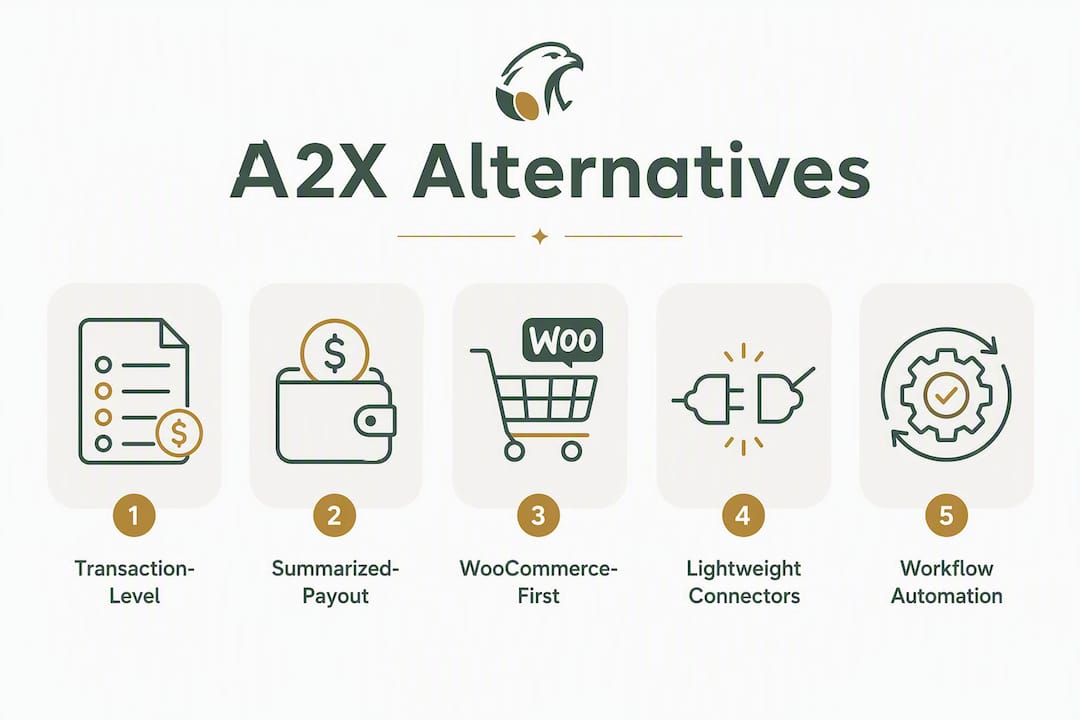
The alternatives fall into five practical categories. Each involves a real tradeoff between posting granularity, channel coverage, COGS depth, and price. Here is how they compare.

Comparison table
| Category | Posting method | Accounting platforms | Multi-channel coverage | COGS handling | Pricing model |
|---|---|---|---|---|---|
| Transaction-level platforms | Per-order / daily accrual | QBO, QBD, Xero, NetSuite | Amazon, Shopify, Walmart, eBay, Etsy, WooCommerce | Unit-level COGS, landed cost, PO integration | Tiered by order volume or flat monthly |
| Summarized-payout connectors | Summary per settlement | QBO, Xero (some add NetSuite) | Amazon, Shopify, eBay, Etsy (varies) | Limited or none native | Low flat monthly or free tier |
| WooCommerce-first syncs | Per-order real-time | QBO, Xero | WooCommerce, Shopify (some) | Basic order-level sync | Low flat monthly |
| Lightweight connectors / bookkeeping services | Summary or per-transaction (varies) | QBO, Xero, Zoho Books | Amazon, Shopify, eBay, Etsy | Minimal native COGS | Free tier available; paid tiers low cost |
| Automation via workflow tools | Depends on configuration | Any (via API) | Any (via API) | None native; requires custom logic | Per-task or subscription |
Transaction-level platforms
Best for: Multi-channel growth sellers who need daily P&L accuracy, SKU-level margin reporting, and COGS automation across Amazon, Shopify, Walmart, and eBay.
Webgility is the most established name in this category. It posts every order as a discrete transaction in QuickBooks Online or QuickBooks Desktop, which means your P&L reflects actual sales as they happen rather than waiting for a settlement period to close. Webgility also handles COGS at the unit level, syncs inventory quantities, and covers a wide channel set including Amazon, Shopify, Walmart, eBay, Etsy, and WooCommerce. Setup is more involved than a summarized connector, and the price reflects that depth.
- Top features: per-order posting, unit-level COGS, inventory sync, multi-channel, QuickBooks Desktop support
- Pros: real-time P&L, strong QuickBooks integration, broad channel coverage
- Cons: higher price, setup complexity, less suited for Xero-first shops
- Best for: established multi-channel sellers on QuickBooks Desktop or Online
Synder takes a similar transaction-level approach but leans more toward Xero and QuickBooks Online users, with strong multi-currency handling. It covers Amazon, Shopify, Stripe, PayPal, eBay, Etsy, and more. Synder’s daily accrual mode posts each transaction as it occurs, which is what you need if you run investor reporting or need GAAP-compliant books. Pricing is tiered by transaction volume.
- Top features: multi-currency, daily accrual, Xero and QBO support, broad payment processor coverage
- Pros: strong Xero integration, good for international sellers, clean UI
- Cons: COGS handling is less deep than Webgility; inventory management requires add-ons
- Best for: Xero-first sellers with international sales or Stripe/PayPal revenue
Summarized-payout connectors
Best for: Single-channel or early-stage sellers who want clean bank reconciliation without the complexity or cost of transaction-level posting.
Link My Books posts one summarized journal entry per Amazon or Shopify payout, similar to A2X. It supports QuickBooks Online and Xero, covers Amazon, Shopify, eBay, and Etsy, and is priced lower than A2X at comparable volume tiers. Setup is straightforward, and the onboarding is guided. The tradeoff: no per-order detail, no unit-level COGS, and no reimbursement recovery.
- Top features: clean payout summaries, VAT handling (UK-focused), simple setup
- Pros: low cost, fast setup, good for UK VAT compliance
- Cons: summary-only posting, limited COGS, no reimbursement recovery
- Best for: small Amazon or Shopify sellers who want simple reconciliation
Bookkeep posts daily accrual summaries, which is a step up from settlement-period summaries. It covers Amazon, Shopify, Square, PayPal, and others, and supports QuickBooks Online and Xero. The daily summary approach gives you more current P&L than a bi-weekly payout connector without the full complexity of per-order posting. Some alternatives in this space also offer free or low-cost plans with broad accounting-system support, including Xero, NetSuite, and Zoho Books, which matters if you are not on QuickBooks.
- Top features: daily accrual summaries, multi-channel, low price
- Pros: more current P&L than settlement-period connectors, affordable
- Cons: still not per-order; COGS requires a separate system
- Best for: cost-conscious sellers who want daily visibility without full transaction-level complexity
WooCommerce-first syncs
Best for: WooCommerce store owners who need real-time order sync to QuickBooks or Xero.
MyWorks Sync is a native WooCommerce plugin that syncs orders, customers, payments, and refunds directly to QuickBooks Online, QuickBooks Desktop, or Xero in real time. It is not a marketplace settlement connector in the A2X sense; it is an order-level sync tool. That distinction matters: MyWorks gives you per-order detail in your ledger, but it does not handle Amazon FBA settlements, reimbursements, or marketplace fee attribution. For WooCommerce-first merchants, it fills a gap that A2X does not.
- Top features: real-time WooCommerce order sync, QuickBooks Desktop support, refund handling
- Pros: purpose-built for WooCommerce, easy setup, affordable
- Cons: no Amazon or marketplace settlement handling, no COGS automation
- Best for: WooCommerce merchants who need clean order-level accounting
Lightweight connectors and bookkeeping services
Best for: Sellers who want a managed bookkeeping layer or a low-cost connector with broad accounting-platform support.
Dext (formerly Receipt Bank) is not a settlement connector. It captures receipts, invoices, and supplier documents and pushes them into QuickBooks, Xero, or Sage. For ecommerce sellers, Dext is useful for managing supplier invoices and landed-cost documentation, but it does not reconcile marketplace payouts. Pair it with a settlement connector; do not use it as a standalone A2X replacement.
- Top features: receipt and document capture, supplier invoice management, QuickBooks and Xero integration
- Pros: excellent for expense management, strong OCR
- Cons: not a settlement connector; no marketplace payout reconciliation
- Best for: sellers who need expense and receipt management alongside a separate settlement tool
Automation via workflow tools
Best for: Technically confident sellers who want to build custom accounting workflows across apps.
Zapier connects thousands of apps and can route order data from Shopify, Amazon, or WooCommerce into a spreadsheet, a database, or an accounting platform. But Zapier has no native accounting logic. It does not know how to split a settlement into revenue, fees, refunds, and reimbursements. Every accounting rule has to be built manually, and maintaining those Zaps as your business changes is ongoing work. Zapier is a tool for automating data movement, not for replacing a purpose-built ecommerce accounting connector.
- Top features: broad app connectivity, flexible triggers, no-code interface
- Pros: highly flexible, low cost for simple workflows
- Cons: no native accounting logic, high maintenance, not suitable for complex settlements
- Best for: sellers with simple, single-channel setups who want lightweight automation
Beanhawk: reimbursement recovery plus automated settlement posting
Best for: Amazon FBA sellers who are losing money to unrecovered reimbursements and need automated settlement posting to QuickBooks or Xero with accurate COGS and inventory tracking.
Beanhawk sits in a distinct position in this comparison. It is not just a settlement connector. It continuously monitors inbound shipments and FBA ledger events to identify lost, damaged, and under-reimbursed inventory, then automates the recovery claims process. At the same time, it posts settlements to QuickBooks or Xero, handles COGS and landed costs, and provides centralized journal entries across multiple sales channels. For sellers whose books are messy because of unrecovered FBA reimbursements and manual COGS entries, Beanhawk addresses both problems in one place.
- Top features: continuous FBA ledger monitoring, automated reimbursement recovery, multi-channel settlement posting, QuickBooks and Xero integration, COGS and landed-cost management, PO integration, reorder alerts
- Pros: combined recovery and posting in one tool, no hidden fees or commissions, accurate inventory economics
- Cons: focused on Amazon FBA sellers; less relevant for WooCommerce-only or non-Amazon merchants
- Best for: Amazon FBA sellers who want reimbursement recovery and automated, accurate settlement posting without managing two separate tools
How do you pick the right A2X alternative for your store?
Pick a transaction-level, daily-accrual connector if you need accurate SKU-level margins and near-real-time P&L. Pick a summarized connector if you prioritize simple bank reconciliation and low cost. The decision is mostly about what your books need to do, not about which tool has the best UI.
Prioritized evaluation checklist:
- Define your posting-method requirement first. If your accountant or investors need daily P&L or GAAP-compliant accrual accounting, summarized payout posting will not work. Require transaction-level or daily-accrual posting before evaluating anything else.
- Map your channel set. List every marketplace and storefront you sell on today and plan to add in the next 12 months. Confirm the connector covers all of them natively, not via a workaround.
- Determine your COGS requirement. If you need unit-level COGS in your P&L, the connector must calculate and post it automatically. If you are fine with a separate inventory system, a summarized connector may suffice.
- Check accounting-platform depth. “Supports QuickBooks” can mean anything from a basic sales receipt to a full double-entry journal with fee attribution. Ask for a sample journal entry before committing.
- Assess edge-case coverage. Returns, refunds, FBA reimbursements, multi-currency transactions, and promotional discounts all need to post correctly. Ask the vendor how each one is handled and where it lands in the chart of accounts.
- Evaluate onboarding support. Attempting a complex fee-and-mapping setup without ecommerce accounting expertise commonly leads to recurring manual corrections. Ask whether the vendor offers guided onboarding or a consultant mapping session.
- Confirm rollback capability. If a posting error occurs, can you unreconcile and repost without destroying your ledger history? This is a non-negotiable feature for any seller who has ever had to fix a reconciliation mistake. Beanhawk’s unreconcile guidance for QuickBooks Online illustrates what that process should look like.
Questions to ask vendors during demos:
- Show me a sample journal entry for a settlement that includes a return, a reimbursement, and a promotional discount. Where does each line item post?
- How is COGS calculated? Is it pulled from a product cost field, a PO, or a landed-cost calculation?
- What happens when a settlement spans two accounting periods?
- What is your SLA for support tickets? Do I get a human or a chatbot?
- Can I run a parallel posting period during trial to validate accuracy before going live?
Red flags to watch for:
- The vendor cannot show you a sample chart-of-accounts mapping before you sign up.
- Reimbursements and returns are lumped into a single “other income” or “other expense” line.
- No human-verified onboarding option for complex multi-channel setups.
- Pricing is opaque or changes based on undisclosed order-count thresholds.
- No rollback or unreconcile feature.
After vendor demos, validate with a 30-day parallel run:
- Post the same settlement period in both your old tool and the new one.
- Compare gross revenue, total fees, net payout, and COGS line by line.
- Check that returns and reimbursements appear as separate line items, not netted against revenue.
- Confirm multi-currency transactions convert at the correct exchange rate and post to the right account.
How do the alternatives differ technically across the seven core capabilities?
Professional ecommerce accounting depends on seven capabilities: automatic settlement reconciliation, automated unit-level COGS, multi-marketplace coverage, SKU-level profitability reporting, correct accounting-platform integration, edge-case handling (returns, reimbursements, multi-currency), and sales tax compatibility. Tools that score high across all seven minimize manual work and keep your books audit-ready.

Choosing ecommerce accounting software without mapping it to these seven capabilities is how sellers end up switching tools six months later.
Capability scoring grid
| Capability | Transaction-level platforms | Summarized-payout connectors | WooCommerce-first syncs | Lightweight connectors | Workflow tools |
|---|---|---|---|---|---|
| Automatic settlement reconciliation | Full (per-order) | Partial (per payout) | Partial (order-level, no settlement) | Partial (summary) | None native |
| Automated unit-level COGS | Yes (native) | No | No | No | No |
| Multi-marketplace coverage | Broad (Amazon, Shopify, Walmart, eBay, Etsy, WooCommerce) | Moderate (Amazon, Shopify, eBay, Etsy) | WooCommerce-focused | Moderate | Any (via API) |
| SKU-level profitability reporting | Yes | No | No | No | No |
| Correct accounting-platform integration | Deep (double-entry, fee attribution) | Basic (summary journal) | Order-level sync | Basic | Depends on config |
| Edge-case handling | Strong (returns, reimbursements, multi-currency, FBA) | Weak | Refunds only | Weak | Manual |
| Sales tax compatibility | Yes (with tax-line posting) | Partial | Partial | Partial | Manual |
How to score vendors (0,3 per capability):
- 0: Not supported; requires manual entry
- 1: Partial support; some automation but gaps remain
- 2: Supported with minor limitations or add-ons required
- 3: Fully automated, native, no manual intervention needed
A vendor scoring 18 or above (out of 21) across all seven capabilities is a strong fit for a multi-channel growth seller. A vendor scoring 10 or below is appropriate only for single-channel, low-volume sellers who prioritize simplicity over depth.
The posting-method gap between summarized and transaction-level tools has a downstream effect that most sellers underestimate. AI-powered accounting agents perform better when the underlying data uses order-level or fee-attributed entries rather than summarized payouts. Summarized data prevents accurate attribution of marketplace fees to specific SKUs or orders, which means any AI-driven analysis of your margins will be working from incomplete inputs. If you plan to use Intuit’s AI features in QuickBooks or any AI analytics layer, transaction-level posting is the prerequisite.
Pro Tip: Treat your accounting setup as a one-time implementation investment, not a monthly chore. Spending time (or money on a consultant) to map fees, taxes, and gateway deductions correctly at onboarding saves hours of corrections every month and keeps your books audit-ready. The sellers who regret switching tools are almost always the ones who rushed the initial chart-of-accounts mapping.
Which alternative should you choose for your seller type?
The right tool depends on what your business actually needs from its accounting stack, not on which product has the most features.
- Single-channel Amazon starter: A summarized-payout connector (Link My Books or Bookkeep) gives you clean bank reconciliation at low cost. Upgrade when you add channels or need daily P&L.
- Multi-channel growth seller (Amazon + Shopify + Walmart): A transaction-level platform like Webgility or Synder is the right call. The per-order posting and COGS automation justify the higher price once you are reconciling across three or more channels.
- WooCommerce merchant: MyWorks Sync is purpose-built for this. Pair it with a separate expense tool like Dext if you need supplier invoice management.
- Cost-sensitive seller on Xero or Zoho Books: Look at connectors that offer free or low-cost tiers with broad accounting-platform support. Confirm the posting method before committing.
- Amazon FBA seller with reimbursement gaps: Run a Beanhawk audit first. Unrecovered FBA reimbursements are often the largest single source of margin leakage for FBA sellers, and fixing the accounting without recovering what Amazon owes you leaves money on the table. Beanhawk handles both sides: recovery and automated settlement posting to QuickBooks or Xero.
Next steps for the next 7,30 days:
- Days 1,3: Run the seven-capability scoring grid against your current tool and your top two alternatives.
- Days 4,7: Request sample journal entries from each vendor. Compare fee attribution and COGS posting line by line.
- Days 8,21: Run a parallel posting period. Do not switch live until the numbers match.
- Days 22,30: Confirm edge-case handling (returns, reimbursements, multi-currency) with real transactions from your own account history.
- If you are an FBA seller: start with a free Beanhawk audit to see what Amazon currently owes you before you finalize your accounting stack.
Key Takeaways
The single most important decision in choosing an A2X alternative is posting method: transaction-level daily accrual gives you real-time P&L and SKU-level margins, while summarized payout posting gives you simplicity and lower cost.
| Point | Details |
|---|---|
| Posting method drives everything | Transaction-level posting enables daily P&L and AI analytics; summarized posting suits simple reconciliation only. |
| Seven capabilities define a professional tool | Score vendors on settlement reconciliation, unit-level COGS, multi-channel coverage, SKU profitability, integration depth, edge-case handling, and tax compatibility. |
| WooCommerce needs a dedicated connector | A2X and most Amazon-first tools handle WooCommerce poorly; MyWorks Sync is purpose-built for that stack. |
| Onboarding quality determines long-term accuracy | Expert chart-of-accounts mapping at setup prevents months of manual corrections and preserves audit readiness. |
| Beanhawk covers recovery and posting together | For FBA sellers, Beanhawk combines reimbursement recovery with automated settlement posting to QuickBooks and Xero. |
The posting-method decision is more consequential than most sellers realize
Most articles comparing A2X alternatives focus on price and channel coverage. Those matter, but the decision that shapes your books for years is posting method.
A summarized connector posts one journal entry every two weeks when Amazon sends a payout. That entry tells you what you received, not what you earned. Revenue recognition under GAAP requires matching income to the period it was earned, not the period cash arrived. For a seller doing $500,000 a year, a two-week lag in revenue recognition does not just make your P&L stale. It can distort your gross margin by several percentage points in any given month, depending on how returns and promotions fall across settlement periods.
Transaction-level posting solves this, but it introduces its own complexity. Every order, every fee, every return, and every reimbursement becomes a discrete line in your ledger. That is exactly what you want for SKU-level margin analysis. It is also what AI tools like Intuit’s built-in analytics need to produce reliable insights. Feed those tools summarized payout data and they will give you summarized answers, which is not much better than a spreadsheet.
The sellers who switch tools most often are the ones who chose a connector based on price and then discovered six months later that their accountant cannot produce a clean P&L for an investor or a lender. The fix at that point is painful: reposting months of transactions, reconciling the differences, and explaining the discrepancy to whoever asked for the report.
Choose the posting method your business needs now, not the one that is easiest to set up today.
Beanhawk: built for FBA sellers who need recovery and clean books at the same time
If your priority is recovering FBA reimbursements and automating settlement posting to QuickBooks or Xero, Beanhawk delivers both in a single subscription. Most sellers treat reimbursement recovery and accounting automation as separate problems requiring separate tools. Beanhawk combines them: continuous monitoring of inbound shipments and FBA ledger events to catch lost, damaged, and under-reimbursed inventory, paired with automated multi-channel settlement posting, COGS management, PO and landed-cost tracking, and centralized journal entries across sales channels.

There are no hidden fees or commissions on recovered amounts. The integration covers QuickBooks Online, QuickBooks Desktop, and Xero. For sellers who have been running a summarized connector and suspect their reimbursement recovery is incomplete, the free audit shows exactly what Amazon currently owes you, before you commit to anything. For a deeper look at how FBA reimbursements work and what qualifies for recovery, Beanhawk’s glossary covers the mechanics in plain English.
Start with the free audit at beanhawk.com to see your reimbursement gap in 60 seconds, then decide whether the full accounting automation is the right next step.
Useful sources and links to read next
- How to Reconcile Amazon Payouts in QuickBooks , Step-by-step walkthrough of what a correct Amazon settlement journal entry looks like in QuickBooks.
- How to Track FBA Inventory for an Amazon Business , Practical guidance on inventory tracking and COGS automation for FBA sellers.
- Ecommerce Accounting Software for QuickBooks , Overview of accounting approaches for QuickBooks users evaluating connector options.
- Amazon FBA Bookkeeping: A Practical Guide , Covers reimbursements, inventory adjustments, and the bookkeeping tasks specific to FBA operations.
- Xero vs QuickBooks for Amazon Sellers , Helps sellers decide which accounting platform fits their business before choosing a connector.