
Amazon FBA Reimbursements: 2026 Seller Audit Guide

Yes, Amazon reimburses many FBA losses , but the rules changed significantly between 2024 and 2026, and the window to file is now far shorter than most sellers realize. Since March 31, 2025, Amazon calculates reimbursements based on your product’s manufacturing cost, not its retail selling price. Combined with a 60-calendar-day filing window that replaced the old 18-month window, the practical effect is that slow or disorganized sellers lose money they’re legitimately owed.
Here’s what to do in the next hour:
- Download three reports from Seller Central: Inventory Ledger (or Inventory Adjustments), Customer Returns, and Payments → Transaction View (filtered to “FBA Inventory Reimbursement”).
- Flag claimable reason codes in the Inventory Ledger: look for reason codes like
E(damaged),M(misplaced/lost), andW(warehouse damage). Cross-reference each event date against your reimbursements report spotting gaps. - Check every event dated within the last 60 days. Anything older is almost certainly expired. File missing claims today.
Pro Tip: Amazon automatically reimburses many fulfillment-center losses, but automatic coverage is incomplete , inbound shipment shortages, many return discrepancies, and some warehouse damage cases still require manual claims. Never assume a loss was handled.
Table of Contents
- Which FBA events qualify for reimbursement?
- How does Amazon calculate your reimbursement now?
- How to file a claim: timing rules and step-by-step process
- Where to find reimbursements and run a cross-check audit
- Why Amazon denies reimbursement claims and how to prevent it
- How to record FBA reimbursements in your accounting system
- What the 2024,2026 policy changes mean for your recovery strategy
- Key Takeaways
- The audit-first approach that actually recovers money
- Beanhawk recovers what Amazon’s automation misses
- Useful sources and tools to open now
Which FBA events qualify for reimbursement?
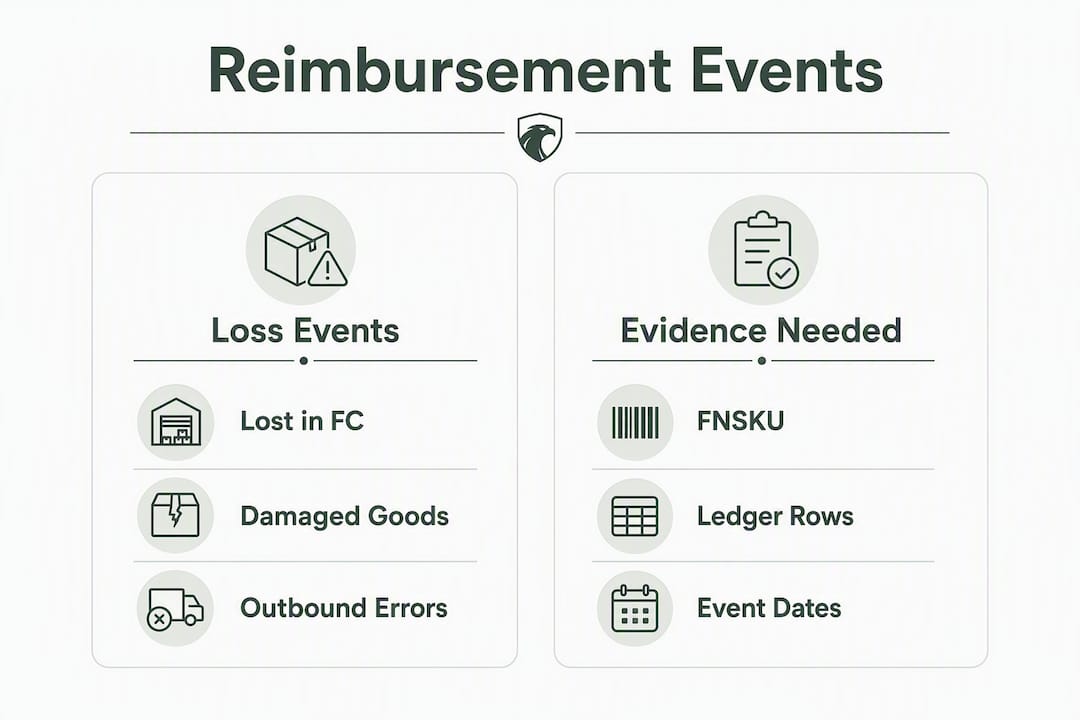
Not every loss is reimbursable, and misclassifying an event wastes your time and Amazon’s. Here are the categories that qualify, along with the evidence each one typically requires:
- Lost in fulfillment center: Inventory that Amazon’s system cannot locate after an adjustment. Evidence: FNSKU, event date from the Inventory Ledger, and the adjustment transaction ID. Learn more about how FBA fulfillment events generate these losses.
- Damaged at the fulfillment center: Units marked damaged by Amazon warehouse staff before any customer order. Evidence: FNSKU, damage reason code, and the inventory adjustment row.
- Inbound shipment shortages: Units you shipped that Amazon received fewer of than your shipment manifest shows. Evidence: shipment ID, packing slip, carrier tracking number, and box-count reconciliation.
- Customer-return discrepancies: A customer received a refund but never returned the item, or returned a different item. Evidence: order ID, return reason code, and the original transaction date.
- Removal and disposal errors: Units removed or disposed of without authorization, or units lost during the removal process. Evidence: removal order ID and the corresponding inventory adjustment.
- Incorrect FBA fees: Overcharges on weight or dimension-based fees. Evidence: ASIN, fee charge date, and your product’s actual dimensions and weight.
Amazon caps reimbursements at $5,000 per unit. For high-value or collectible SKUs above that threshold, you’ll need to open a separate case with additional documentation , invoices, appraisals, or supplier contracts , and industry reporting shows Amazon places a significant burden of proof on sellers in these situations.
| Event Type | Key Evidence Required |
|---|---|
| Lost in FC | FNSKU, Inventory Ledger adjustment row, event date |
| Damaged at FC | FNSKU, damage reason code, adjustment transaction ID |
| Inbound shortage | Shipment ID, packing slip, carrier tracking |
| Return discrepancy | Order ID, return reason code, refund transaction date |
| Removal/disposal error | Removal order ID, inventory adjustment row |
| Incorrect FBA fee | ASIN, fee date, product dimensions/weight documentation |
How does Amazon calculate your reimbursement now?
The math changed on March 31, 2025, and it matters more than most sellers initially understood.
Before that date, Amazon based reimbursements on your product’s retail selling price. A unit listed at $50 might generate a reimbursement close to $50. Since the policy update, Amazon pays based on estimated manufacturing or sourcing cost instead. That same $50 unit, if it cost you $15 to source, now generates a reimbursement of roughly $15.
Typical reimbursement reduction: 40,70% depending on your margin structure. A product with a $50 retail price and $15 manufacturing cost may see its reimbursement drop from ~$50 to ~$15. (Source)
The policy was explicitly designed to reduce Amazon’s payout exposure. Sellers with high retail markups and low sourcing costs see the steepest cuts.
| Scenario | Old Reimbursement (Retail-Based) | New Reimbursement (Manufacturing-Cost) | Reduction |
|---|---|---|---|
| $50 retail / $15 sourcing cost | ~$50 | ~$15 | ~70% |
| $50 retail / $15 sourcing cost | ~$50 | ~$40 | ~50% |
| $30 retail / $18 sourcing cost | ~$30 | ~$18 | ~40% |

The $5,000 per-unit cap still applies regardless of sourcing cost.
What makes this worse: if you haven’t entered accurate sourcing costs into Amazon’s Inventory Defect & Reimbursement portal, Amazon will estimate them. Those internal estimates tend to run low. You can use Beanhawk’s FBA fee and profit calculator to model the difference between Amazon’s estimate and your actual sourcing cost before you file a dispute.
Pro Tip: Log into the Inventory Defect & Reimbursement portal and update your sourcing costs for every active ASIN before your next claim. If Amazon has already paid a reimbursement based on a low estimate, you can dispute it with a supplier invoice , but only within the 60-day window.
How to file a claim: timing rules and step-by-step process
Speed is the entire game now. Most FBA reimbursement claims must be filed within 60 calendar days of the inventory adjustment date. Miss that window and the claim is gone.
Filing steps by claim type
For lost or damaged inventory (fulfillment center):
- Open Seller Central → Reports → Fulfillment → Inventory Ledger.
- Download the report for the past 60 days. Filter by reason codes associated with loss or damage.
- Cross-reference each event against your Payments → Transaction View filtered to “FBA Inventory Reimbursement.” Flag any event with no matching reimbursement.
- Open a new case in Seller Central Help → Contact Us → FBA Issue → Inventory Missing or Damaged.
- In the case message, paste the FNSKU, the exact event date from the Inventory Ledger, the adjustment transaction ID, and the reason code. One case per event , never bundle multiple FNSKUs into a single case.
- Attach your supplier invoice showing unit cost.
For inbound shipment shortages:
- Go to Seller Central → Inventory → Shipments → select the relevant shipment.
- Compare units shipped (from your packing slip) against units received (from Amazon’s reconciliation tab).
- Open a case referencing the shipment ID, the discrepancy count, and the carrier tracking number.
- Attach the packing slip, commercial invoice, and carrier proof of delivery.
For customer-return discrepancies:
- Download the Customer Returns report from Reports → Fulfillment.
- Match refunded orders against returned units. Flag orders where a refund issued but no return appears.
- File a case with the order ID, refund date, and ASIN. Note the specific discrepancy type (refund without return, or wrong item returned).
Required documentation checklist:
- Supplier invoices or purchase orders showing unit cost
- Carrier tracking numbers and proof of delivery
- Packing slips with unit counts
- Photos of damaged units (when available)
- Order IDs, FNSKUs, shipment IDs, and Inventory Ledger row references
Pro Tip: When writing your case message, mirror the exact language Amazon uses in the Inventory Ledger row , copy the reason code description verbatim. Cases that match Amazon’s own terminology move faster and get fewer “please clarify” responses.
Where to find reimbursements and run a cross-check audit
Three reports do the work. Pull all three, then match them against each other.
The three essential reports:
- Inventory Ledger / Inventory Adjustments: Seller Central → Reports → Fulfillment → Inventory Ledger. Shows every unit-level event with reason codes, dates, and transaction IDs.
- Customer Returns: Seller Central → Reports → Fulfillment → Customer Returns. Shows refunds issued and whether a return was logged.
- Reimbursements Report: Seller Central → Reports → Payments → Reimbursements. Filter by “FBA Inventory Reimbursement” to isolate relevant payouts.
CSV filtering tips:
- Set date ranges to exactly 60 days. Going wider pulls expired events that waste your time.
- In the Inventory Ledger, filter the “Reason” column to show only loss and damage codes.
- In the Reimbursements report, filter the “Reason” column to “FBA Inventory Reimbursement.”
- Match rows across reports using FNSKU and event date as your join keys. If an Inventory Ledger event has no matching reimbursement row within a few days of the event date, it’s a candidate for a manual claim.
Running the cross-check in a spreadsheet:
- Export all three reports to CSV.
- Create a master tab. Paste Inventory Ledger events in column A (FNSKU, date, reason code, transaction ID).
- Use
VLOOKUPorXLOOKUPto pull matching reimbursements from the Reimbursements report using FNSKU as the key. - Flag rows where the lookup returns no match , those are your missing reimbursements.
- For customer returns, do the same: match refunded order IDs against returned unit records.
| Report | Navigation Path | Key Columns to Filter |
|---|---|---|
| Inventory Ledger | Reports → Fulfillment → Inventory Ledger | Reason code, FNSKU, date, transaction ID |
| Customer Returns | Reports → Fulfillment → Customer Returns | Order ID, return status, refund date |
| Reimbursements | Reports → Payments → Reimbursements | Reason, FNSKU, amount, date |
When the volume of events makes manual spreadsheet work impractical, that’s the point where automated tools earn their cost. Beanhawk continuously monitors ledger events and flags unpaid claims before the 60-day window closes.

Why Amazon denies reimbursement claims and how to prevent it
Common denial reasons include filing outside the 60-day window, insufficient documentation, duplicate claims (the event was already reimbursed automatically), seller-caused issues like mislabeling, and mismatched SKUs or dates in the case submission.
Here’s how to prevent each one:
- Late filing: Set a calendar reminder every 30 days to run the cross-check audit. For high-volume accounts, weekly is the right cadence.
- Insufficient documentation: Never file without attaching a supplier invoice. For inbound shortages, always include the carrier tracking and packing slip , not just the shipment ID.
- Duplicate claims: Before filing, search your Reimbursements report for the FNSKU and event date. If a matching reimbursement already exists, check the amount. If it’s lower than your sourcing cost, dispute the amount rather than filing a new claim.
- Mislabeling or seller-caused damage: Amazon will not reimburse losses that result from incorrect labeling or packaging errors on the seller’s side. Maintain accurate SKU-level inventory records to distinguish seller-caused from Amazon-caused events.
- Mismatched SKU or date: Copy FNSKUs directly from the Inventory Ledger row , never retype them. A single character error causes an immediate rejection.
When escalating a denied claim, open a new case rather than replying to the closed one. Reference the original case number, restate the FNSKU and event date, and attach any new evidence (an updated invoice, a carrier confirmation, or a photo). State clearly: “This claim was denied but the event is documented in the Inventory Ledger on [date] under transaction ID [ID]. Please review with the attached invoice showing sourcing cost of $[X].”
Pro Tip: If Amazon denies a valid claim citing “already reimbursed,” pull the Reimbursements report and verify the amount. Automatic reimbursements often use conservative internal valuations , even when automation pays, it frequently underpays. Dispute with your supplier invoice to recover the difference.
How to record FBA reimbursements in your accounting system
Reimbursements show up in your Amazon settlement as line items under “FBA Inventory Reimbursement” in the Payments → Transaction View. Each entry carries a transaction ID, a date, and a dollar amount. Those three fields are what you need to create an accurate journal entry.
Reconciliation workflow:
- Download your settlement report for the period. Locate all “FBA Inventory Reimbursement” transactions.
- Match each transaction ID to the corresponding Inventory Ledger event. Confirm the FNSKU, date, and amount align.
- Determine the correct accounting treatment: if the reimbursement covers a unit you already expensed to COGS, credit COGS to reverse the cost. If your policy treats reimbursements as separate income, credit a dedicated “Amazon Reimbursement Income” account.
- Create the journal entry: debit your bank or Amazon settlement clearing account, credit COGS or reimbursement income, and note the transaction ID and FNSKU in the memo field.
- If the reimbursement is partial (Amazon paid less than your sourcing cost), record the shortfall as a separate line and flag it for dispute.
For QuickBooks users, Beanhawk automates settlement posting so reimbursements land in the correct account without manual mapping. The reconciliation workflow for QuickBooks covers how to set up the clearing account and match Amazon payouts to journal entries. Xero users get the same automated posting through Beanhawk’s integration.
- Keep supplier invoices tied to each ASIN in a shared folder organized by FNSKU. These are your cost-basis records for both reimbursement disputes and tax purposes.
- Note the reimbursement transaction ID in every journal entry memo. Auditors and accountants need that trail.
- If you receive a reimbursement in a later period than the original loss, record it in the period received, not the period of the loss event.
Pro Tip: Treat every reimbursement as a two-step entry: first confirm the amount matches your sourcing cost, then post it. Posting an underpaid reimbursement without flagging the shortfall means you’ve accepted Amazon’s low valuation by default.
What the 2024,2026 policy changes mean for your recovery strategy
The timeline matters. Amazon rolled out automatic reimbursements for many fulfillment-center losses in late 2024, simultaneously reducing the manual claim window from 18 months to 60 days. Then on March 31, 2025, the manufacturing-cost valuation model took effect after an earlier delay. The combination of these two changes restructured the entire recovery equation for sellers.
The financial impact is real. Industry estimates show active sellers typically leave around $2,400 annually unclaimed; higher-volume accounts lose proportionally more. Relying solely on automatic reimbursements typically recovers only 30,50% of potential funds, and manual cross-referencing of the Inventory Ledger, Customer Returns, and Reimbursements reports finds the rest.
| Policy Element | Before 2024,2025 | After March 31, 2025 |
|---|---|---|
| Claim filing window | 18 months | 60 calendar days |
| Reimbursement basis | Retail selling price | Manufacturing/sourcing cost |
| Auto-reimbursement coverage | Limited | Expanded (but incomplete) |
| Per-unit cap | $5,000 | $5,000 (unchanged) |
Prioritized strategic responses, in order of impact:
- Update sourcing costs immediately in the Inventory Defect & Reimbursement portal for every active ASIN. This is the single highest-leverage action given the manufacturing-cost model.
- Run a 60-day cross-check audit now. If you haven’t audited in the last month, you likely have expiring claims.
- Dispute underpaid automatic reimbursements. Even when Amazon pays automatically, the amount is often below your actual sourcing cost. Supplier invoices are your evidence.
- Set a recurring audit cadence. Weekly for accounts processing more than 500 orders per month; monthly at minimum for smaller accounts.
- Automate detection when manual audits consume more than two to three hours per month. The ROI on automation tools becomes positive quickly at moderate volume.
Short-term cash flow from recovered reimbursements can be meaningful, especially for sellers managing tight inventory cycles. Pairing reimbursement recovery with broader cash flow strategies helps sellers redeploy recovered funds rather than letting them sit idle in the settlement account.
Key Takeaways
Amazon FBA reimbursements now require sellers to audit within 60 calendar days, supply accurate sourcing costs, and file manual claims for events that automatic reimbursements miss.
| Point | Details |
|---|---|
| 60-day window is firm | Claims filed after 60 calendar days from the inventory adjustment date are rejected with no appeal path. |
| Manufacturing cost drives payouts | Since March 31, 2025, reimbursements are based on sourcing cost, not retail price , update your cost data in the portal now. |
| Auto-reimbursements are incomplete | Automatic coverage handles many FC losses but misses inbound shortages, return discrepancies, and some damage cases. |
| $2,400/year left unclaimed | Industry estimates show active sellers typically leave around $2,400 annually unclaimed; higher-volume accounts lose proportionally more. |
| Beanhawk automates the audit | Beanhawk continuously monitors ledger events, flags missed claims before the window closes, and posts reimbursements to QuickBooks or Xero automatically. |
The audit-first approach that actually recovers money
Most sellers treat reimbursements as a bonus when they appear, not a recoverable asset they’re owed. That framing is expensive. The policy changes since 2024 have made reimbursement recovery a discipline that requires the same rigor as inventory management or COGS tracking.
The approach that works is audit-first and evidence-led. Start with the Inventory Ledger, not the Reimbursements report. The Ledger shows what happened; the Reimbursements report only shows what Amazon chose to pay. The gap between those two is where money gets left behind.
What sellers consistently underestimate is the compounding effect of underpaid automatic reimbursements. Amazon’s internal cost estimates are conservative by design. A seller who accepts every automatic payout without checking it against actual sourcing costs is effectively subsidizing Amazon’s fulfillment errors. The supplier invoice is the most powerful document in this process , it’s the one piece of evidence Amazon cannot easily dispute.
The other underestimated lever is audit frequency. With an 18-month window, quarterly audits were fine. With a 60-day window, quarterly audits mean you’re almost certainly filing after the deadline for events from the first half of the quarter. Weekly detection paired with monthly filing and dispute review is the cadence that actually captures everything.
Beanhawk’s approach integrates claim discovery with accounting reconciliation precisely because those two tasks are inseparable. A reimbursement that posts to the wrong account, or that gets accepted at an underpaid amount, creates downstream accounting errors that compound at tax time. The goal isn’t just recovery , it’s recovery that lands correctly in your books.
Beanhawk recovers what Amazon’s automation misses
Sellers who rely on Amazon’s automatic reimbursements recover a fraction of what they’re owed. The real money is in the events Amazon doesn’t pay automatically , inbound shortages, return discrepancies, underpaid damage claims , and in disputing the low valuations that automatic payouts often carry.

Beanhawk monitors your FBA ledger continuously, identifies missed and underpaid claims before the 60-day window closes, and files the evidence-backed cases that recover the difference. When a reimbursement lands, it posts automatically to QuickBooks or Xero in the correct account, so your books stay accurate without manual journal entries. No commissions, no hidden fees , a flat subscription that pays for itself in the first recovered claim for most active sellers.
If you’ve never run a full reimbursement audit, start with Beanhawk’s free audit to see exactly what Amazon owes you. Find out whether Amazon will reimburse your lost or damaged inventory and what your recovery looks like before you commit to anything.
Useful sources and tools to open now
- Amazon Seller Central: Reimbursements Report Overview , official navigation guide for finding reimbursements in Payments → Transaction View.
- Amazon Seller Forums: FBA Inventory Reimbursement Policy Update , Amazon’s official announcement of the March 31, 2025 manufacturing-cost policy.
- SupplierWiki: Understanding Your Amazon Reimbursement Report , practical walkthrough for reading and filtering the reimbursements report.
- Beanhawk FBA Fee & Profit Calculator , model your sourcing cost against expected reimbursement amounts before filing a dispute.
- Beanhawk: What Is FBA Reimbursement? , definitions and bookkeeping implications for sellers new to the reconciliation process.
- Beanhawk: How to Reconcile Amazon Payouts in QuickBooks , step-by-step guide to posting reimbursements correctly in QuickBooks.
Stat to remember: Active sellers leave roughly $2,400 per year unclaimed in FBA reimbursements. At 60 days per window, that’s money expiring on a rolling basis , not a one-time loss.