
12 Webgility Alternatives Ecommerce Sellers Should Compare

The best Webgility alternatives split into two camps: settlement connectors like A2X, MyWorks, and Synder that post marketplace payouts into your ledger, and reimbursement-focused platforms like BeanHawk that also recover the money Amazon owes you for lost or damaged inventory. For Amazon-heavy sellers who need both accurate settlement posting and automated reimbursement recovery, BeanHawk is the strongest fit. For Shopify merchants who mainly need two-way inventory sync, MyWorks or Link My Books cover that job well.
Here’s the short version before the full breakdown:
- BeanHawk , best for Amazon sellers who want automated FBA reimbursement recovery bundled with settlement posting to QuickBooks or Xero.
- A2X , best for sellers who want the most precise, CPA-friendly journal entries for Amazon and Shopify settlements.
- MyWorks , best for Shopify merchants running QuickBooks who need true two-way inventory and order sync.
- Synder , best for sellers juggling five or more channels (Amazon, Shopify, PayPal, Stripe) who want one subscription instead of five.
- Entriwise , best for Amazon sellers still running QuickBooks Desktop Enterprise.
- Link My Books , best for sellers who want a no-frills settlement-to-ledger connector paired with Xero.
Channel-specific payout complexity is the real reason this category exists. Amazon, Shopify, and Walmart each settle payments on different schedules, bundle different fees into each deposit, and require location-aware inventory accounting to get channel profitability right. A tool that just dumps a lump-sum deposit into your bank feed doesn’t solve that. One that parses the settlement, reconciles the fees, and catches what Amazon owes you back does.
Pro Tip: Before switching anything, pull three months of Webgility reports and your QuickBooks Profit & Loss side by side. If they already don’t match, the problem may be posting logic, not vendor choice, and switching won’t fix it on its own.
Key Takeaways
BeanHawk pairs automated FBA reimbursement recovery with settlement posting, making it the strongest replacement for Amazon-focused sellers switching off Webgility.
| Point | Details |
|---|---|
| Shortlist the right category first | Decide if you need a settlement connector (A2X, MyWorks) or a reimbursement-plus-posting tool (BeanHawk) before comparing prices. |
| Settlement parsing matters more than price | A cheaper tool that posts lump-sum deposits creates more accountant hours than a pricier one that itemizes fees correctly. |
| Migrate in parallel, never cold-switch | Run the new tool alongside Webgility for two to three weeks before cutover to catch reconciliation gaps early. |
| Accountants and merchants weigh different criteria | Accountants prioritize clean journal entries and audit trails; merchants prioritize setup speed and inventory accuracy. |
| BeanHawk fits Amazon sellers chasing reimbursements | For sellers who need automated FBA reimbursement recovery bundled with QuickBooks or Xero posting, BeanHawk is the recommended starting point, beginning with a free limited audit. |
Table of Contents
- Best Webgility Alternatives Compared Side by Side
- Detailed Profiles: What Each Webgility Alternative Actually Does
- How Do You Choose the Right Webgility Replacement?
- How Do You Migrate From Webgility Without Losing Data?
- Why BeanHawk Is the Recommended Pick for Amazon Sellers
- Start With a Free Audit Before You Commit to Anything
- Sources
- FAQ
Best Webgility Alternatives Compared Side by Side
Pricing models, posting methods, and automation depth vary more across this category than most buyers expect. A tool that looks cheaper on its homepage can cost you more in accountant hours if it posts summarized totals instead of itemized journal entries.
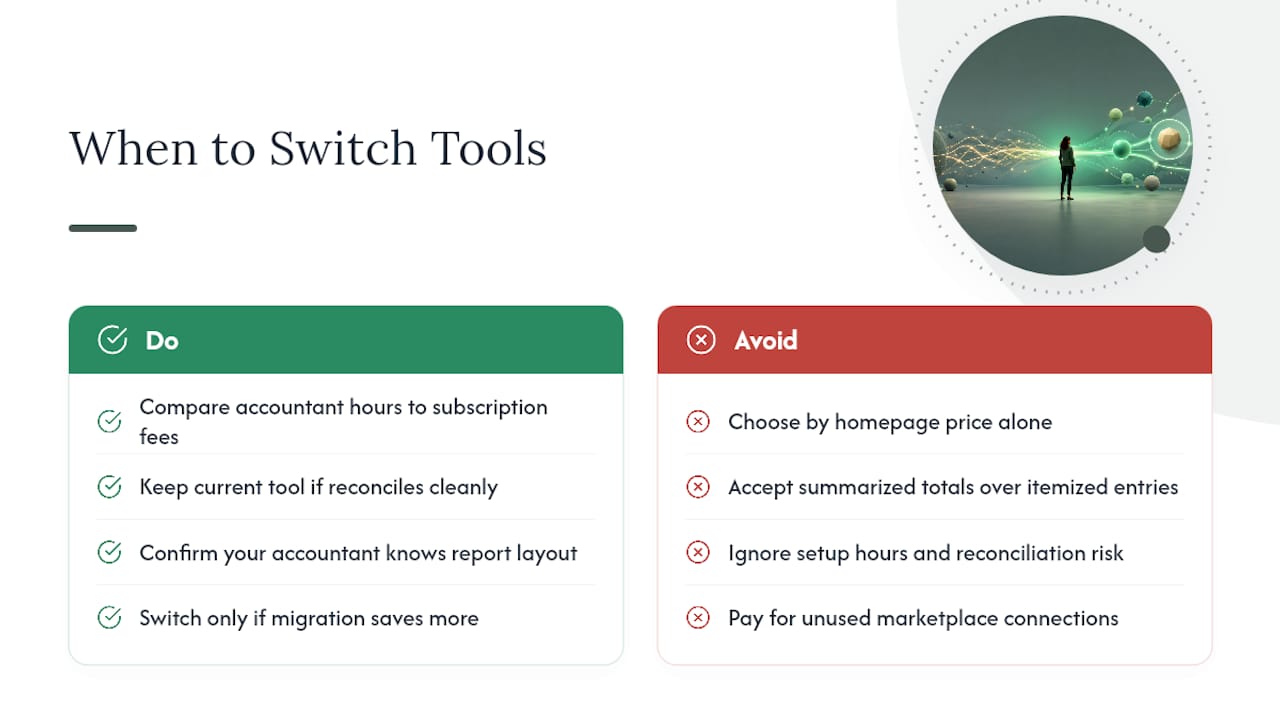
Webgility isn’t automatically the wrong choice for everyone reading this. If your current setup already reconciles cleanly, your accountant knows the report layout, and you’re not paying for marketplace connections you don’t use, ripping it out for a new tool trades a known problem for an unknown one. Switching software has a real cost in setup hours and reconciliation risk, and that cost only pays off when the current tool is actively costing you more in errors, missed reimbursements, or wasted subscription fees than the migration will cost in time.
Detailed Profiles: What Each Webgility Alternative Actually Does
BeanHawk
BeanHawk continuously monitors your FBA inbound shipments and ledger events, flags discrepancies, and files reimbursement claims automatically when Amazon owes you money for lost, damaged, or miscounted inventory. It then posts the resulting settlement, net of fees and reimbursements, into QuickBooks or Xero as a reconciled journal entry.
- Flat tiered pricing based on order volume, with all sales channels included rather than charged per connection.
- Free limited audit available before you commit to a subscription.
- Posts summarized settlement journal entries mapped to your chart of accounts.
- Tracks landed cost and COGS alongside reimbursement recovery, not as a separate module.
Pros: bundles reimbursement recovery with accounting automation instead of selling them as two products; flat pricing avoids per-channel surcharges; built specifically around FBA ledger complexity.
Cons: the reimbursement-recovery focus means it’s most valuable to sellers with real FBA inbound volume; a seller with zero FBA activity gets less differentiated value from that half of the platform.

Choose it when: you’re an Amazon seller (FBA or hybrid) who suspects you’re leaving reimbursement money on the table and wants that recovery process running on autopilot alongside your books.
A2X
A2X parses Amazon and Shopify settlements line by line and produces journal entries built to match how accountants actually want to see fees, refunds, and shipping broken out. A2X is frequently recommended for Amazon and Shopify sellers specifically because those entries reconcile cleanly to bank deposits without manual cleanup.
- Channel-specific posting logic tuned separately for Amazon versus Shopify settlement formats.
- Detailed, itemized journal entries rather than lump-sum totals.
Pros: the reconciliation quality accountants ask for by name; strong documentation.
Cons: doesn’t handle FBA reimbursement claims, so lost or damaged inventory recovery is a separate process; pricing scales with order volume, which can climb for high-volume sellers.
Choose it when: your accountant already has an A2X-shaped workflow and precision journal entries matter more than reimbursement automation.
MyWorks
MyWorks focuses on two-way synchronization between Shopify and QuickBooks, keeping inventory counts, order data, and customer records aligned in both directions.
- True two-way sync, not a one-way import.
- G2 reviews highlight ease of use for Shopify-QuickBooks pairings specifically.
Pros: built for exactly one pairing, so it does that pairing well; simpler setup than multi-channel tools.
Cons: narrower scope means sellers on Amazon or Walmart need a second tool alongside it.
Choose it when: Shopify is your primary or only channel and QuickBooks is your ledger of record.
Entriwise
Entriwise specializes in posting Amazon settlements into QuickBooks Desktop Enterprise, in either summarized or itemized detail depending on how your accountant wants the books to look.
Pros: one of the few tools built specifically for QuickBooks Desktop Enterprise rather than QBO.
Cons: narrow focus on Amazon and Desktop Enterprise means it’s not the right fit if you’re on QBO or sell primarily through other channels.
Choose it when: you haven’t migrated to QuickBooks Online and don’t plan to.
Taxomate
Taxomate parses marketplace settlements and posts them with configurable account mapping, positioned as a lower-cost connector option.
Choose it when: budget is the primary constraint and you’re comfortable configuring your own account mapping.
Link My Books
Link My Books turns Amazon, Shopify, and eBay settlements into ledger entries, commonly paired with Xero.
Choose it when: you want a connector that does one job (settlement to ledger) without extra modules you won’t use.
Zapier
Zapier connects almost anything to almost anything through custom “zaps,” including ecommerce platforms and accounting systems.
Pros: unmatched flexibility for edge-case workflows no dedicated connector supports.
Cons: G2 reviewers note the trade-off between that flexibility and accounting-specific accuracy. Getting audit-ready postings out of Zapier takes real setup work and ongoing maintenance.
Choose it when: your workflow is genuinely unusual and no purpose-built connector covers it.
Synder
Synder covers Amazon, Shopify, PayPal, Stripe, and several other channels inside one subscription instead of requiring a separate connector per channel.

Choose it when: you’re running four or more sales channels and would rather manage one tool than stitch together several.
Sellercloud, Feedonomics, ChannelAdvisor Platform, Base.com, Veeqo, Commerce Suite, Volo Platform, Connected PIM, and Lengow Platform
These sit a level up from the connector category. Sellercloud and Veeqo bundle inventory and order management with accounting connections. Feedonomics, ChannelAdvisor Platform, Lengow Platform, and Connected PIM focus on product feed distribution and catalog syndication across marketplaces, with accounting as a downstream integration rather than the core product. Base.com, Commerce Suite, and Volo Platform round out the enterprise commerce-platform tier. If you’re evaluating one of these, you’re likely past the “replace Webgility” question and into “replace our entire commerce stack,” which is a bigger project with a different budget.
Rounding out QuickBooks-specific connectors: Skyvia, QuickBooks Sync by Bold, Shopify Connector by QuickBooks, QuickBooks Connector (OneSaas), and Zoho Books
Skyvia works as an ETL platform for teams that need scheduled data transformations before anything hits the ledger, useful when your mapping logic is too complex for a plug-and-play connector. QuickBooks Sync by Bold and Shopify Connector by QuickBooks are app-store-native options for Shopify merchants who want the syncing to live inside familiar Shopify or QuickBooks interfaces. QuickBooks Connector (OneSaas) offers a similar app-based sync for sellers on other cart platforms. Zoho Books is worth naming for sellers who aren’t on QuickBooks or Xero at all and want a full ledger built with ecommerce integrations in mind from the start.
How Do You Choose the Right Webgility Replacement?
Match the tool to what actually breaks in your current setup, not to whichever name shows up first in a search.
- List your required capabilities first. Which marketplaces do you need covered (Amazon, Shopify, Walmart, eBay)? Do you need settlement parsing at the line-item level or is summarized posting fine? What COGS method does your accountant use, average cost or FIFO?
- Map it to your chart of accounts. A tool that can’t route Amazon FBA fees, referral fees, and reimbursements to the correct accounts creates cleanup work every month, not less of it.
- Confirm bank reconciliation cadence. Does the tool post daily, weekly, or per settlement cycle? Mismatched cadence between the tool and your bank feed is the single most common reconciliation headache.
- Ask about rollback and test modes. Any vendor worth using should let you run a sandbox or parallel test before you commit live data to it.
Bring these questions into every vendor demo:
- Can you show me a sample P&L output using data similar to my store?
- What happens if a settlement doesn’t match the bank deposit? What’s the escalation path?
- How far back can you pull historical data, and does that cost extra?
- What’s your rollback process if we need to undo a batch of posted entries?
- Do you offer a free trial, sandbox, or limited audit before a paid commitment?
Watch for these red flags during evaluation:
- No settlement parsing at all, meaning it posts a lump-sum deposit and calls it done.
- Per-order posting with no reconciliation step against actual bank deposits.
- Vague or nonexistent explanation of how inventory cost is calculated.
- Sparse documentation or a support team that can’t answer a specific reconciliation question during the sales call.
Accountants and merchants prioritize differently here. An accountant cares most about clean journal entries, correct account mapping, and audit trail depth. A merchant cares most about setup time, whether inventory numbers stay accurate across channels, and whether reimbursement money actually shows up. A good replacement should satisfy both, and if a vendor can only speak to one side of that conversation, that’s worth noting.
How Do You Migrate From Webgility Without Losing Data?
Migrating accounting software mid-year is riskier than migrating at a fiscal year boundary, but it’s rarely worth waiting six months for a tool that’s actively causing errors. Here’s a realistic timeline:
- Discovery (week 1): Export everything from Webgility, historical journals, SKU mappings, vendor mappings, open orders, and past settlement matching records.
- Sandbox testing (weeks 2 to 3): Connect the new tool to a test QuickBooks or Xero company file, or a sandbox environment if the vendor offers one. Don’t touch production yet.
- Parallel posting window (weeks 3 to 5): Run the new tool alongside Webgility, posting to a separate ledger or tagged accounts, without disconnecting the old system.
- Cutover (week 5 or 6): Disconnect Webgility, switch live posting to the new tool, and lock the cutover date in both systems.
- Post-migration reconciliation (weeks 6 to 8): Reconcile the new tool’s output against bank deposits and your prior P&L to confirm nothing drifted.
Before cutover, run this checklist:
- Does the new tool’s P&L match Webgility’s for the same test period, within rounding?
- Do bank deposits reconcile against posted settlements for every channel?
- Are SKU-level COGS numbers consistent with your previous inventory valuation method?
- Have you documented the exact cutover date in both systems so nothing double-posts?
The biggest downtime risk is a gap where neither system is posting, usually caused by disconnecting Webgility before the new tool’s first live settlement cycle completes. A rollback trigger worth setting in advance: if reconciliation is off by more than a small, defined dollar threshold after the first live cycle, pause and investigate before letting a second cycle post on top of it. For QuickBooks Online specifically, reconciling Amazon payouts correctly at cutover prevents a lot of that drift, and knowing how to unreconcile a bad batch gives you a clean way back if something posts wrong.
Why BeanHawk Is the Recommended Pick for Amazon Sellers
If you’re an Amazon seller (or hybrid seller with Amazon as a major channel) and your Webgility frustration comes down to two things, unclear reimbursement recovery and messy settlement posting, BeanHawk is built around solving exactly that combination rather than one half of it.
BeanHawk continuously monitors inbound shipments and FBA ledger events in the background, catching discrepancies as they happen instead of waiting for a quarterly audit. When Amazon owes you money for lost or damaged inventory, the system files the claim automatically. That recovered amount then flows into the same settlement posting that lands in QuickBooks or Xero, so your books reflect what actually happened financially, not just what Amazon’s default reporting shows.
- Continuous FBA ledger monitoring instead of manual, periodic checks.
- Automated reimbursement claim filing for lost, damaged, or miscounted inventory.
- Settlement-to-deposit journal posting into QuickBooks or Xero.
- Multi-channel integration under one flat pricing tier, no per-channel surcharge.
- Free limited audit so you can see what’s currently unclaimed before committing to anything.
Pro Tip: Run the free audit even if you’re not ready to switch platforms yet. It tells you whether unclaimed reimbursements are a real problem in your account before you spend time evaluating tools to fix it.
Onboarding starts with that audit, moves into a short test run against your live FBA data, then configures automated posting rules matched to your chart of accounts. Reconciliation support continues after go-live rather than stopping once the connection is set up.
When BeanHawk fits, and when another tool might make more sense
BeanHawk is the right call when reimbursement recovery is a real, ongoing issue and you want that recovery tied directly to your books instead of run as a side project in a spreadsheet. A seller doing meaningful FBA volume who has never systematically audited lost or damaged inventory claims is almost certainly leaving money on the table, and bundling that recovery with settlement posting means one system, not two.
Where I’d point someone elsewhere: a very small seller doing a handful of orders a month probably doesn’t have enough reimbursement volume to justify a dedicated recovery tool yet, a plain connector like Link My Books or Taxomate covers the basic posting need more cheaply. And if your organization has already standardized hard on a specific ledger-first workflow built around A2X’s line-item journal style, and reimbursement recovery isn’t currently a pain point, switching that whole workflow just to add a feature you’re not missing yet doesn’t make sense. Software selection should follow the actual problem, not the other way around.
Start With a Free Audit Before You Commit to Anything
Switching platforms is a real project, so BeanHawk starts every relationship with a free limited audit instead of asking you to commit blind. That audit surfaces what’s currently unclaimed in your FBA account and shows you, concretely, whether reimbursement recovery is worth automating before you sign up for anything.

The onboarding flow after that runs in three steps: the audit itself, a short test run against your live data so you can see actual settlement postings before they go live, and then configuration of automated posting into QuickBooks or Xero matched to your chart of accounts. Reconciliation support continues after go-live, it’s not a one-time setup and goodbye.
Before you book a demo, have these ready so the call is useful instead of exploratory:
- Your current QuickBooks or Xero company file access (or a sandbox version).
- A rough sense of your monthly FBA order volume and which other channels you sell on.
- Three months of recent Webgility or bank statement data for comparison.
If reimbursement recovery has never been systematically checked in your account, start with the free audit and see what’s actually unclaimed before deciding on anything else.
Sources
The comparisons above draw on G2’s Webgility alternatives and competitors listing and Gartner’s Webgility Desktop alternatives page for market-competitor signals, along with individual product review pages for MyWorks, Zapier, and Skyvia on G2.
- Multichannel Ecommerce Accounting: The Complete Guide - MuseMinded
- Best Accounting Software for Amazon Sellers (Eightx)
FAQ
What software do most bookkeepers use for ecommerce clients?
Most bookkeepers pair a general ledger, usually QuickBooks Online or Xero, with a dedicated settlement connector like A2X, Synder, or BeanHawk rather than relying on the ledger’s native bank feed alone.
Why do some accountants avoid QuickBooks Online for ecommerce sellers?
QuickBooks Online’s native bank feed treats each marketplace payout as a single lump-sum deposit, which hides the fees, refunds, and reimbursements bundled inside it. Accountants generally solve this by adding a settlement-parsing connector rather than avoiding QuickBooks Online itself.
How much does Webgility cost per month?
Webgility’s pricing varies by plan tier and the number of sales channels connected, so exact monthly cost depends on your specific setup, check current pricing directly with the vendor since tiers change.
What’s the best software to replace QuickBooks for ecommerce accounting?
Most sellers don’t fully replace QuickBooks, they add a connector on top of it. If you want a different ledger entirely, Xero is the most common alternative, often paired with A2X or Synder for settlement posting.
Is BeanHawk a good fit for non-Amazon sellers?
BeanHawk’s reimbursement recovery is built around FBA specifically, so the biggest value applies to Amazon sellers; hybrid sellers with Amazon as a major channel still benefit from the multi-channel settlement posting alongside it.